
FIVE MINUTES. MAKE AI YOUR SECOND BRAIN
IT'S TIME TO OUTSOURCE MEMORY TO AI

Original title: Claude Code + Obsidian Ultimate Guide
Original by: AI Edge
Photo by Peggy Block Beats
Editor by: This paper presents a personal knowledge system based on Claude Code and Obsidian, the core of which is no longer the use of "every query, temporary search" under the traditional RAG model, but an attempt to allow AI to build and maintain an evolutionary knowledge base (Wiki) on an ongoing basis。
Structurally, the system can be divided into three layers:
One is the raw data layer, which includes non-modifiable input sources such as notes, articles, transcribing, etc.
• SECOND, A STRUCTURED KNOWLEDGE BASE MAINTAINED BY AI TO COMPLETE CROSS-REFERENCE AND RELATIONSHIP CONSTRUCTION IN CONTINUOUS UPDATING
• Third, the Schema Rule Layer, which regulates the way knowledge is organized and the logic of system operations。
Around this structure, the system operates through three core operations: Ingest (ingestion), which integrates external information on an ongoing basis; Query (Query), which achieves immediate transfer of knowledge; and Lint (validation), which is used to check structural consistency and repair potential problems。
Under this mechanism, knowledge is no longer confined to the results of a one-time dialogue, but is gradually deposited as a reusable long-term asset through a " write-college-reuse " cycle. The authors thus suggest that this model has a cumulative effect on knowledge similar to " compounding": on the one hand, it reduces the cognitive burden on individuals and, on the other hand, enhances the accuracy of model outputs and their consistency with context。
However, the effective operation of the system is also based on the premise of continuous input and maintenance. In the absence of stable data injection and structural updating, this "second brain" will not have a real cumulative effect and its advantages will diminish。
The following is the original text:
Claude Code + Obsidian, the strongest AI combination I've ever used。
I almost built an "AI second brain" to include all my thoughts, reading, writing, online research. It contains my business plans, all my YouTube videos, articles, everything that matters to me。
Claude Code + Obsidian has quickly gained popularity on various platforms, and it is no accident。
PERSONALLY, THIS AI SYSTEM HAS GREATLY REDUCED MY COGNITIVE BURDEN, ALLOWING ME TO FOCUS ON REALLY IMPORTANT THINGS -- BUSINESS AND PERSONAL LIFE。
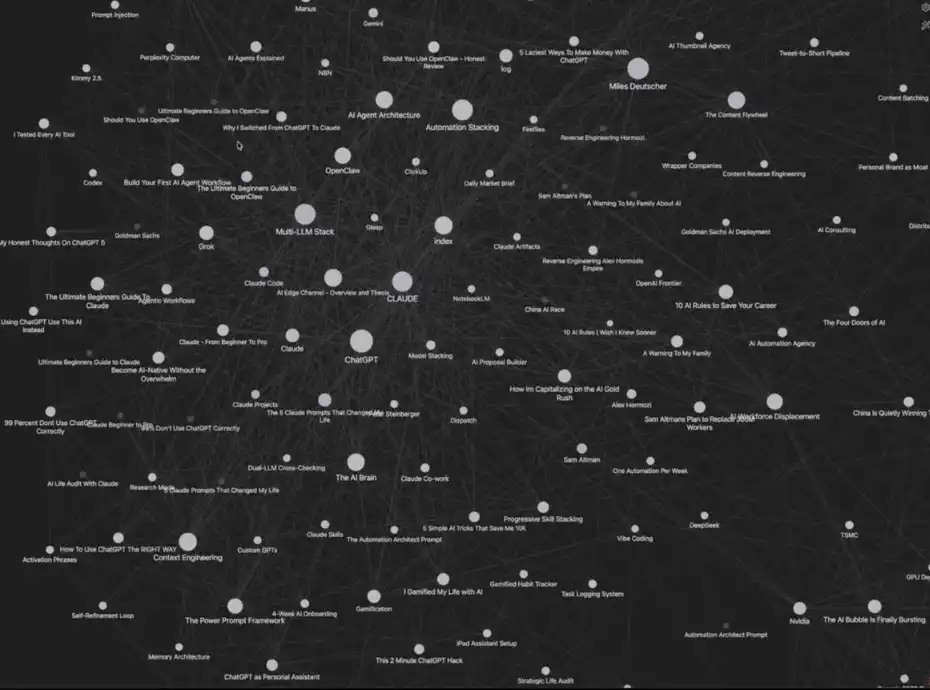
My Claude Code + Obsidian System
The system may look complicated, but actually it takes five minutes to build. More crucially, it carries its own memory mechanism, which optimizes itself as it is used。
AND THEN I'M GOING TO TAKE YOU ONE STEP AT A TIME TO RECREATE THIS "AI SECOND BRAIN" SYSTEM, WHICH ACTUALLY IMPROVES YOUR EFFICIENCY。
It is recommended that you read at the end of the article - I will attach a complete Claude Code + Obsidian operating schematic and all the resources mentioned in the text (all free)。
Before we begin
The system wasn't originally created by me, and it was inspired by a blast tweet from Andrej Karpathy a few days ago about the LLM knowledge base。
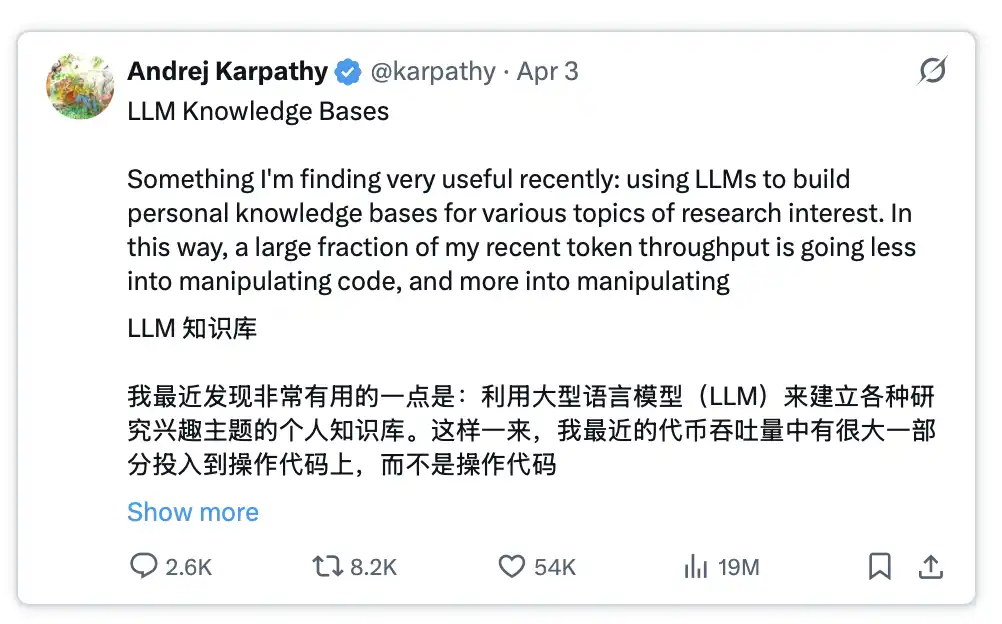
read about: https://x.com/karpathy/status/2039056595525644595
THIS TWEET IS RAPIDLY RESOUNDING BECAUSE IT PROVIDES IDEAS TO ADDRESS A CRITICAL POINT IN THE CURRENT AI DEVELOPMENT。
THE PROBLEM IS THAT EVERY TIME YOU START A NEW CONVERSATION OR SWITCH TO A NEW AI TOOL, YOU HAVE TO RE-INVERT THE HINT AND ADD THE CONTEXT, ALMOST FROM SCRATCH。
By combining this set of system hints with Obsidian and Claude Code, this problem can be solved thoroughly, while significantly improving the quality of AI's output。
How does this system work
The system consists of four core modules:
1. Your data: including articles, notes, transcriptions, inspirational ideas, etc
2. Organization: Automatically sorted through Claude Code in Obsidian
3. Immediate call: you can always ask this database for answers
4. Evolutionary memory: the system becomes smarter as it is used
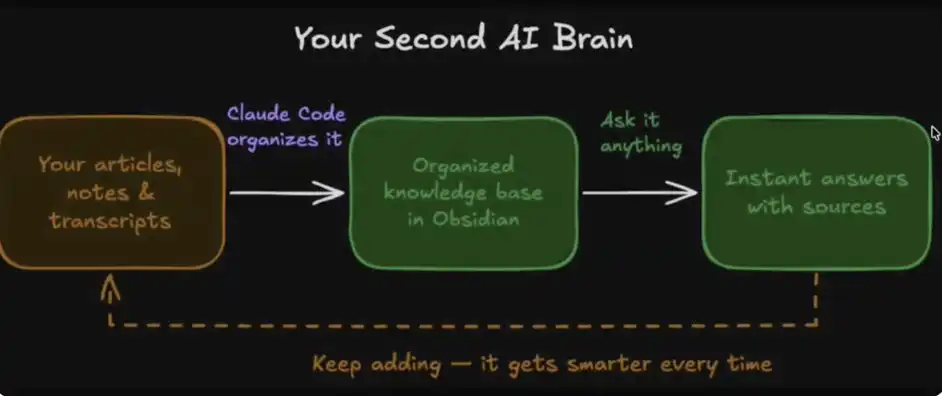
YOUR AI, SECOND BRAIN
What's the real power of this system
As human beings, our cognitive bandwidth is limited. We will forget, and sometimes it will be difficult to connect different ideas, and information that can be tracked and processed at the same time will ultimately be capped。
And with this four-module system, you're actually releasing your cognitive burden and entrusting the task of connecting, collating and understanding information to Obsidian and Claude Code。
Your ideas begin to be systematically linked, one note is automatically linked to another, and you can redraw, group and call them through Claude at any time。
Under this structure, your knowledge is no longer fragmented, but rather a network that can be called and reorganized on a continuous basis — with almost no ceiling。
HOW TO BUILD YOUR AI BRAIN IN FIVE MINUTES
1. Download Obsidian
Official network:https://obsidian.md/
https://obsidian.md/
2. Create your Vault
After downloading, Obsidian will alert you to create a "Vault"。
You can interpret it as a folder on a computer where we store everything and have Claude Code access to and manage the data。
The name of this Vault can be set at random -- I call it Obsidian Vault, for example。
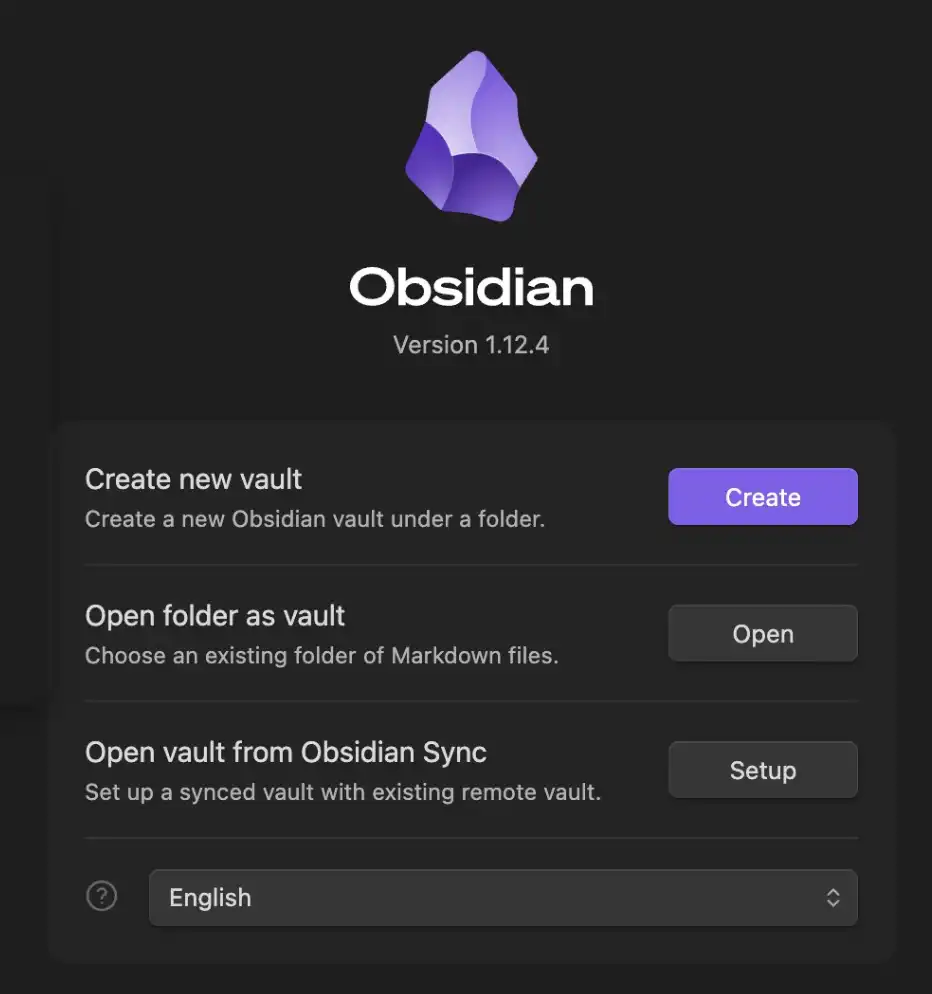
Obsidian Vault (knowledge base)
This Vault is where Obsidian store all your data and notes, all of which will be stored in the MD (Markdown) file。
3. Setup Claude Code
Next, you need to configure a way to access Claude Code. The simplest way for me (and probably for most people) is to use the desktop client directly。
In the main chat interface, click "Select Folder" and find your newly created ObsidianVault and select it。
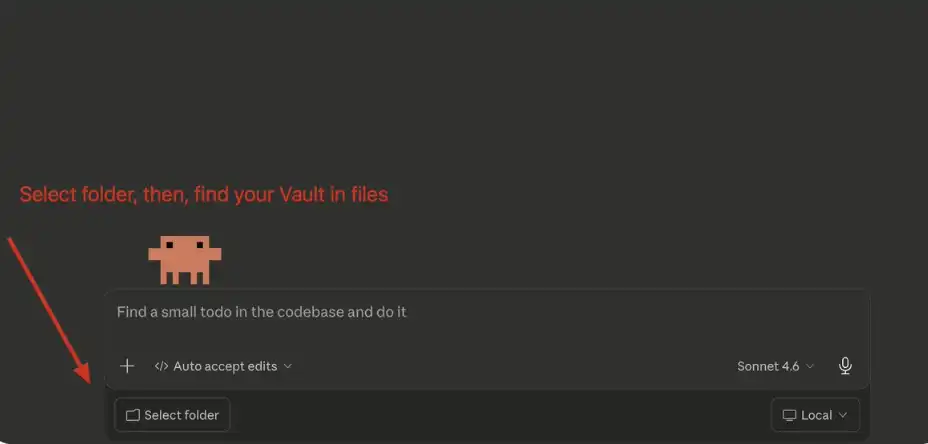
Claude Code: Connect to you, Vault
4. Setup System Indices (System Prompt)
When you select a folder, the next step is to paste Andrej Karpathy 's system hint to the main chat box。
You can copy the hint here:https://gist.github.com/karpathy/442a6bf55591483e9891c115de94f
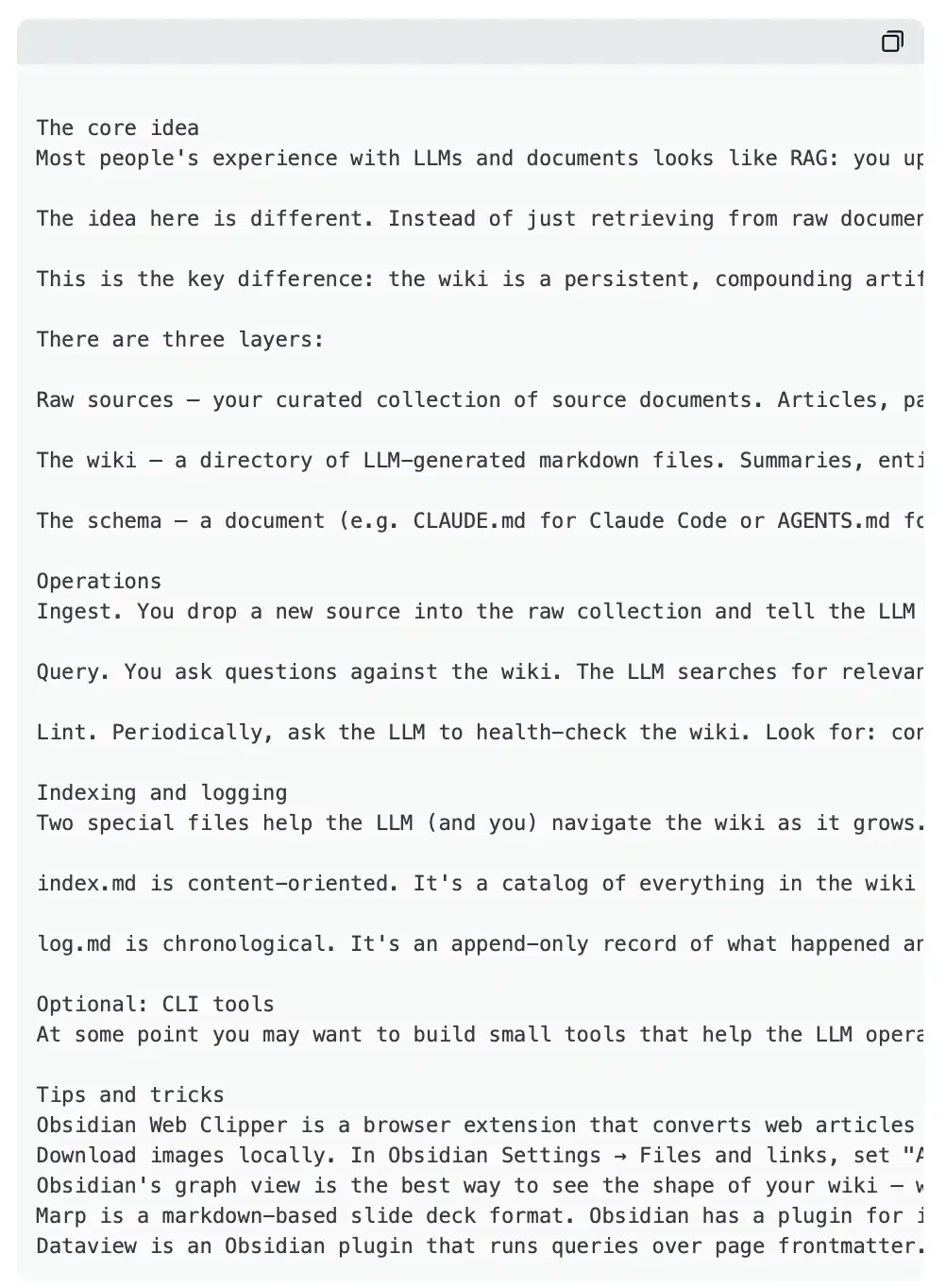
Your input should be like this:
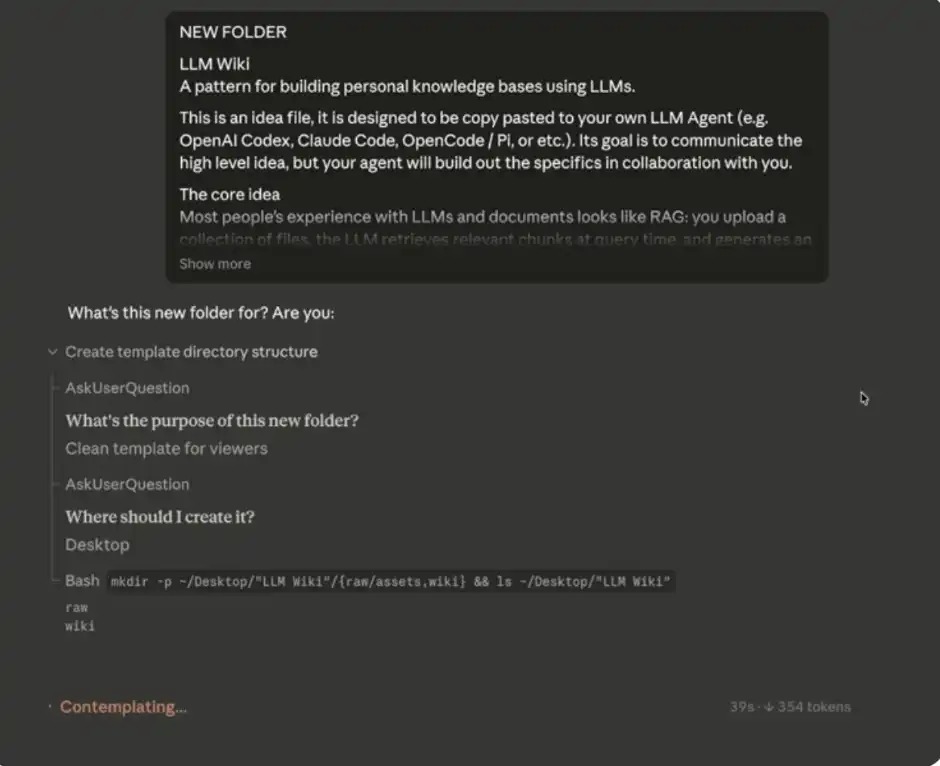
Claude Code Initial Input
Little tip: If you don't want to, you can totally open it manually. As long as the MD folder (that is, your Vault) and related data are handed over to Claude Code, it can read, write and modify these files directly -- these are automatically synchronized to your Obsidian "second brain."。
5. Build your data Library
When you're done with the system hints, Claude Code will start asking you about some data sources that can be used to initialize and gradually fill your second brain。
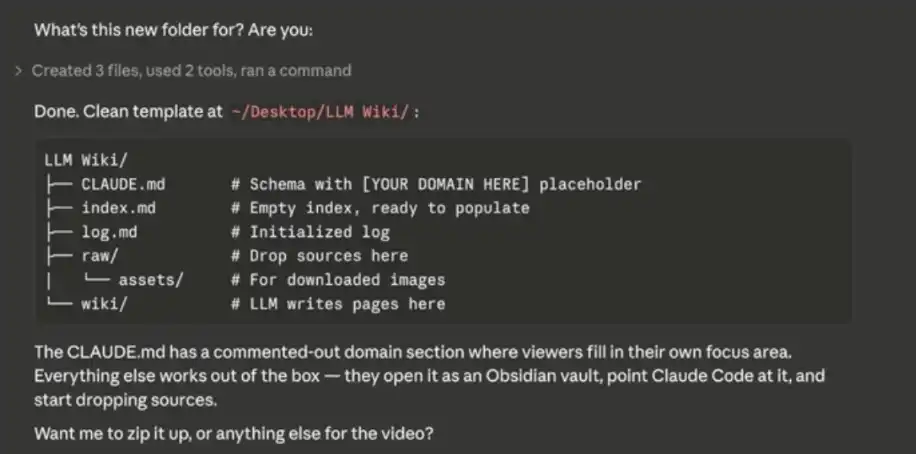
Build your database
You can imagine Obsidian as a "empty notebook" -- you need to start with the content, and the database will be built up. You can import notes, CSV files, Markdown/ text files, etc。
Some practical suggestions:
Export data from your existing notebook tool
. If you use Notion, you can export as a CSV file
Jean Claude sorted out a message about you to start your second brain
• Importing your existing articles, collections, inspirations, etc. — This is the best time to create initial data, and follow-up can be added at any time
It is important to note that databases with large amounts of data, such as mine, are not readily available, but are built up over time and over time。
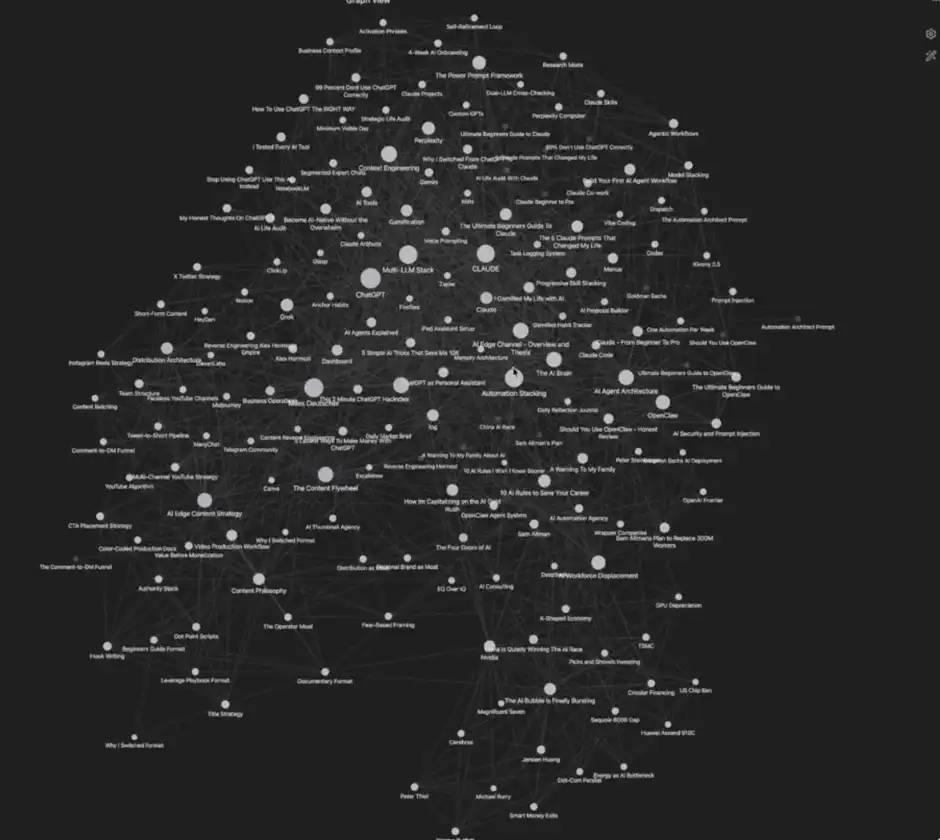
My database
THAT'S IT. YOUR "AI SECOND BRAIN" IS READY TO GO. AND THEN I'LL SHARE SOME OF THE ADVANCES AND HELP YOU USE THEM MORE EFFICIENTLY。
Pro Tips
1, Obsidian Crome Extension Plugin
If you want to easily add data to the system, you just need to install the OBsidian Chrome extension. It allows you to click "Add to Obsidian" on your web page and save the content in your knowledge base. This makes the process of building the second brain very easy。
I myself often use this function to collect articles, web data, research materials, etc。
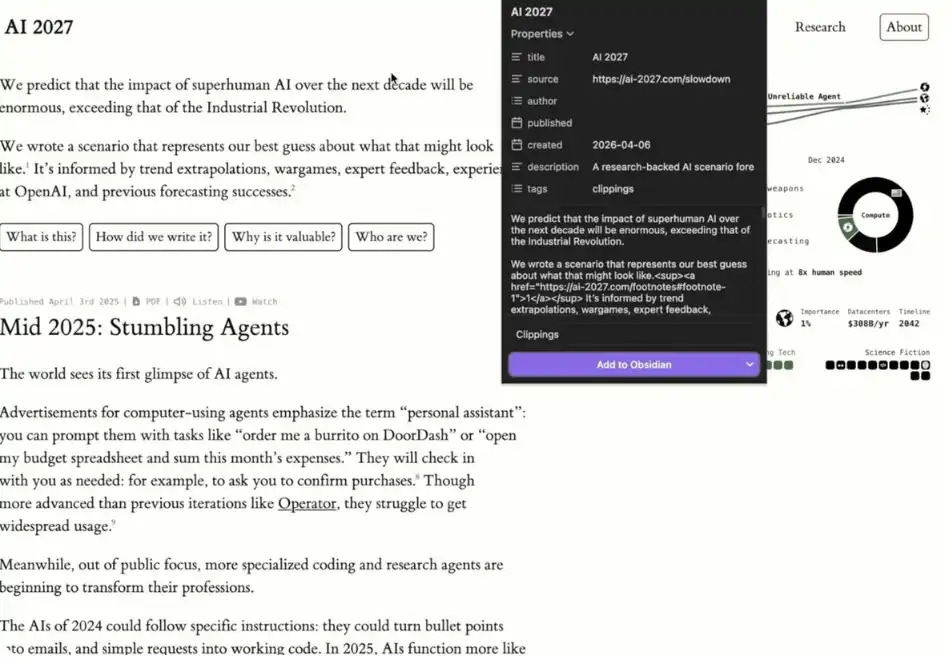
Example: Expand with Obsidian Crome
It is important to note that the data added through expansion was initially a "silent data source"。
Then you can tell Claude Code, "I just added [x] to Obsidian, please help me integrate these into my Wiki."
Claude Code automatically connects these new data to existing content, creates links to make it truly integrated into your second brain. That is why the set of tools is so powerful。
2 Create separate folders (Vault)
Andrej Karpathy suggests two separate folders (Vault):
• One for work/commercial content
• One for personal life/target management
My own use experience is also the clearest and most effective structure。
3. Practicality
I FOUND ONE OF THE MOST VALUABLE USES OF THE SYSTEM, WHICH IS REALLY SIMPLE: TO MAKE YOUR LLM HINT MORE PRECISE。
When a model can access your complete personal information, business plans, writing background, etc., it can generate high-quality tips (even "super Prompt") that are more "supplied" and more relevant to reality。
Of course, the system is much more useful than that, but if you only want to start with one of the most practical scenarios, I would strongly suggest that you start with "upgrading Prompt quality."。
4, Orphans (in isolation)
In Obsidian, "Orphans" refers to data points that are not linked to other notes。
It's useful because it helps you:
• Finding ideas that have not yet been integrated
Identification of "weak areas" in the database
:: Determine what is worth further expanding or deepening
In other words, it's not just a sorting tool, it's also a mechanism to help you think about blind zones。
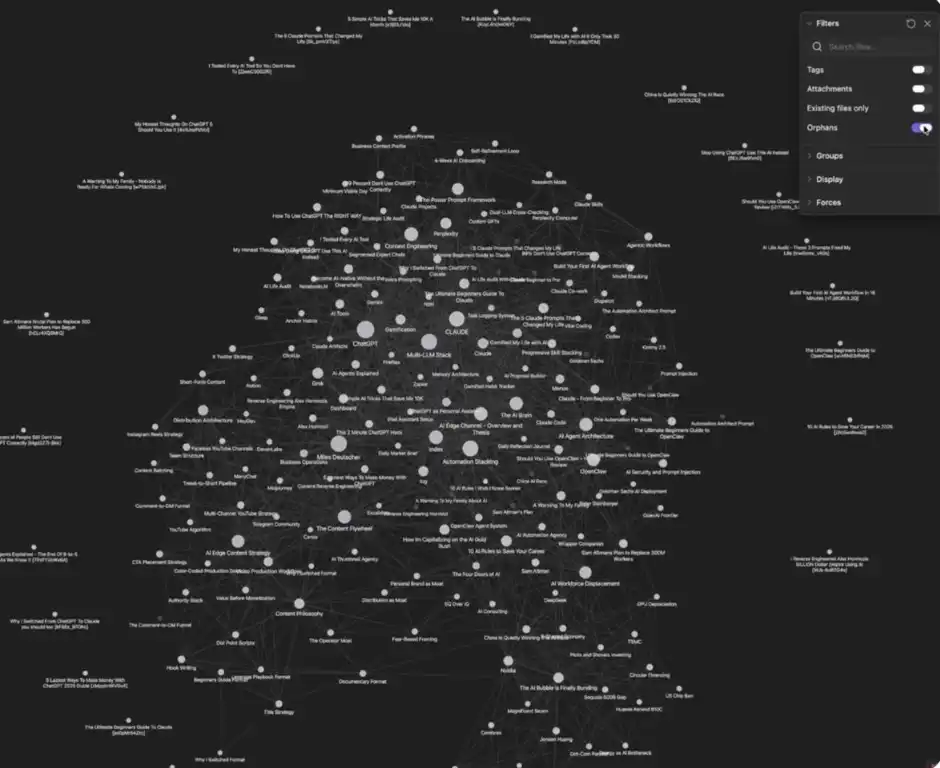
Orphans (Isolated Nodes)
You can click "three dots" at the top right corner and find and turn on the Orphans switch to see what is not connected。
Potential shortcomings of the system
What is the inadequacy of the many advantages, the use of the scene and the optimization methods that we have already described? Under what circumstances are you not fit to use the system
Persons not used to visualization
A central advantage of the system is that data can be visualized. If you do not rely on or become accustomed to this approach on your own, it may be of limited assistance to you。
2. Need for certain maintenance costs
If you don't want to maintain a database on a continuous basis, the system may not be suitable for you. Although maintenance costs are not high, it is difficult to add value if data are not consistently entered into the second brain。
3. Storage occupation
All content will be stored locally as a Markdown file, which will take up a certain amount of equipment space. This also needs to be considered in advance。
[ Chuckles ]Original Link]
